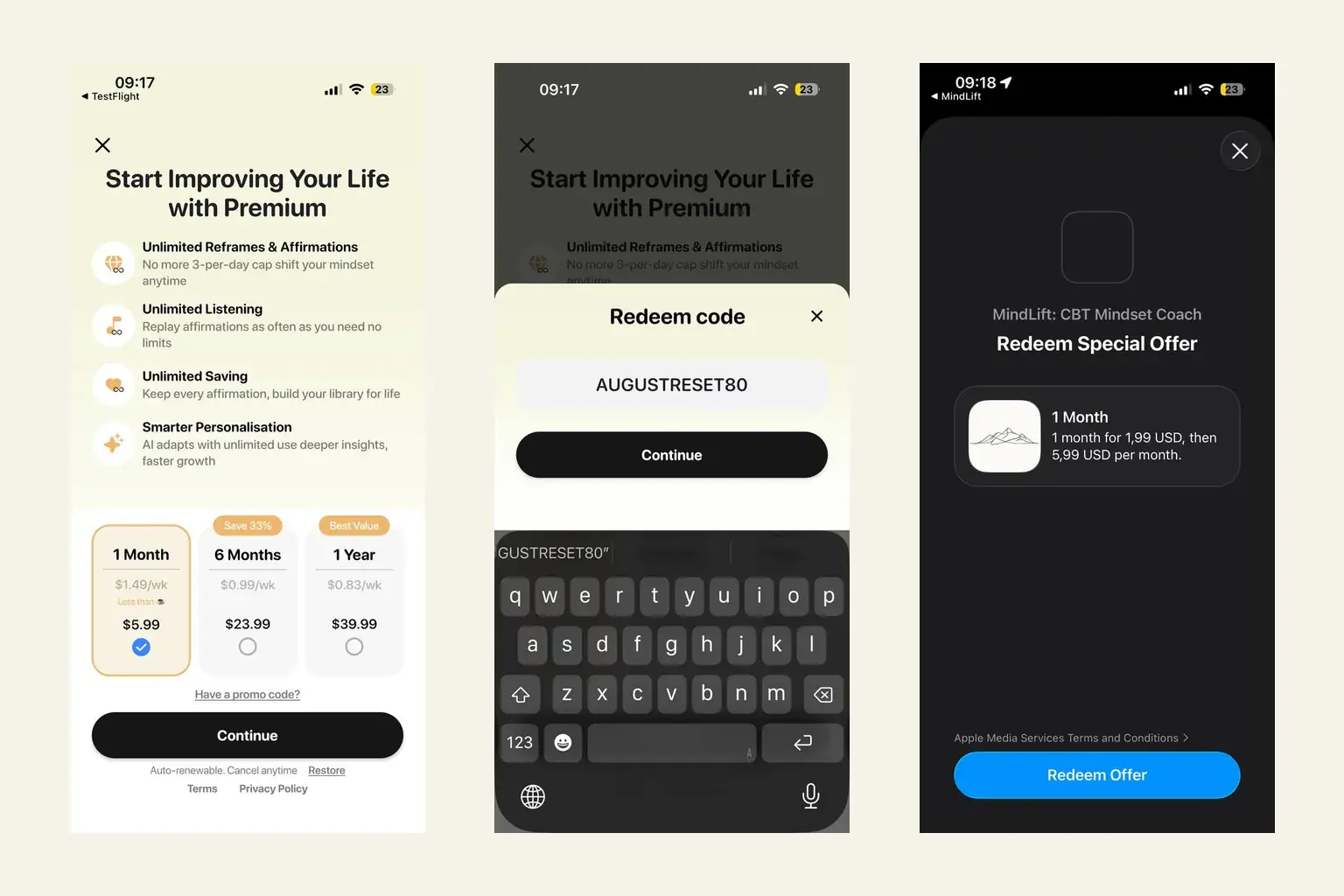
Turn this into a daily habit — free to start in the MindLift app:
You have a MindLift promo code — from a newsletter, an email, or a friend — and the one thing standing between you and the discount is finding where to type it. Here's the whole flow, one screenshot per step.
To redeem a promo code in MindLift on iPhone: open any Premium screen, tap "Have a promo code?" below the subscription plans, enter the code exactly as written (it's case-sensitive), tap Continue, and confirm the discounted offer on the App Store sheet. On Android, use the lowercase version of the code in the same place.
The worked example below uses the current code — NOTOVERTHINKING50 on iPhone, notoverthinking50 on Android, 50% off your first month of Premium, valid through September 30, 2026 (the thinking behind it is in why you can't think your way out of overthinking). The steps are the same for any MindLift code.
The iPhone flow, step by step
1. Open the Premium screen
Any road there works: the upgrade banner on the home screen, a locked feature, or Profile → Premium. You'll land on the plans screen — and just below the three plan cards, above the Continue button, is a small underlined link: "Have a promo code?". That's the door.
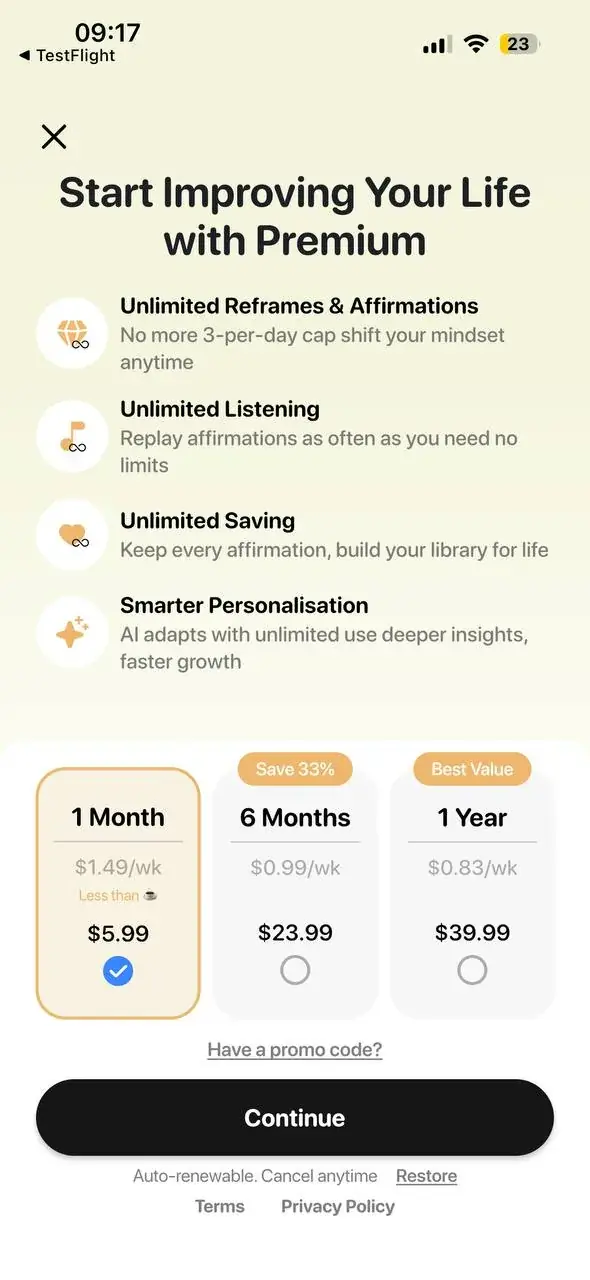
2. Tap "Have a promo code?"
A Redeem code sheet slides up with a single field. Nothing has been selected or charged at this point — the plan cards behind it don't matter yet.
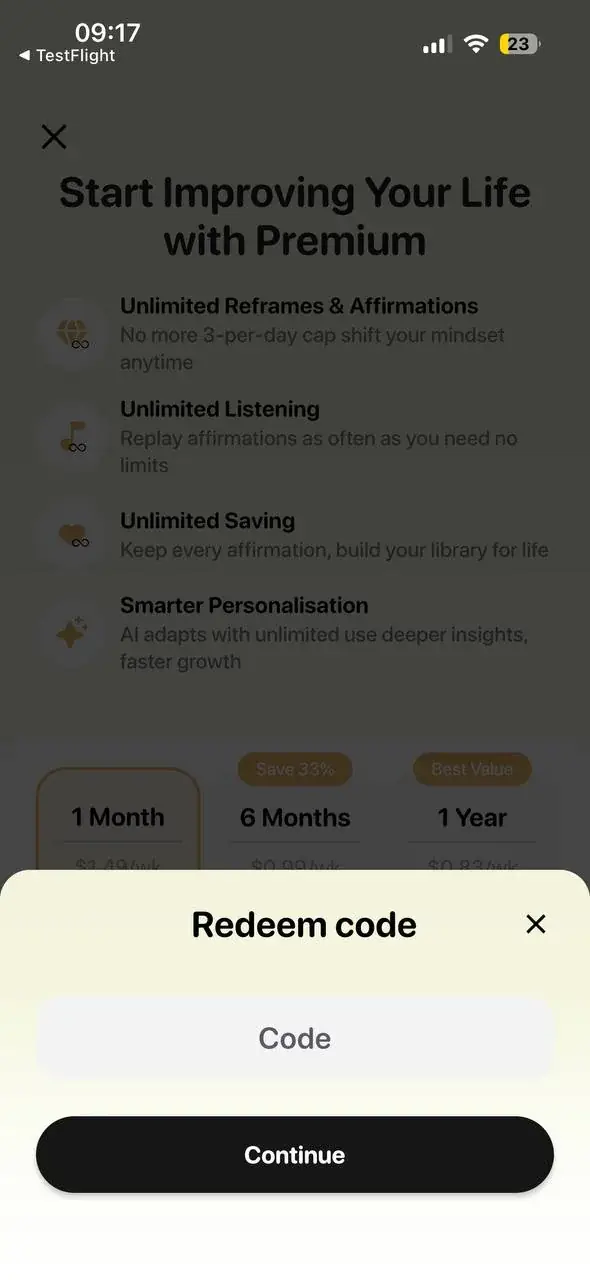
3. Type the code exactly as written
Codes are case-sensitive, so match the capitalization exactly — NOTOVERTHINKING50, all uppercase, on iPhone. Watch for autocorrect sneaking in a trailing space or quotation marks if you pasted it. Then tap Continue.
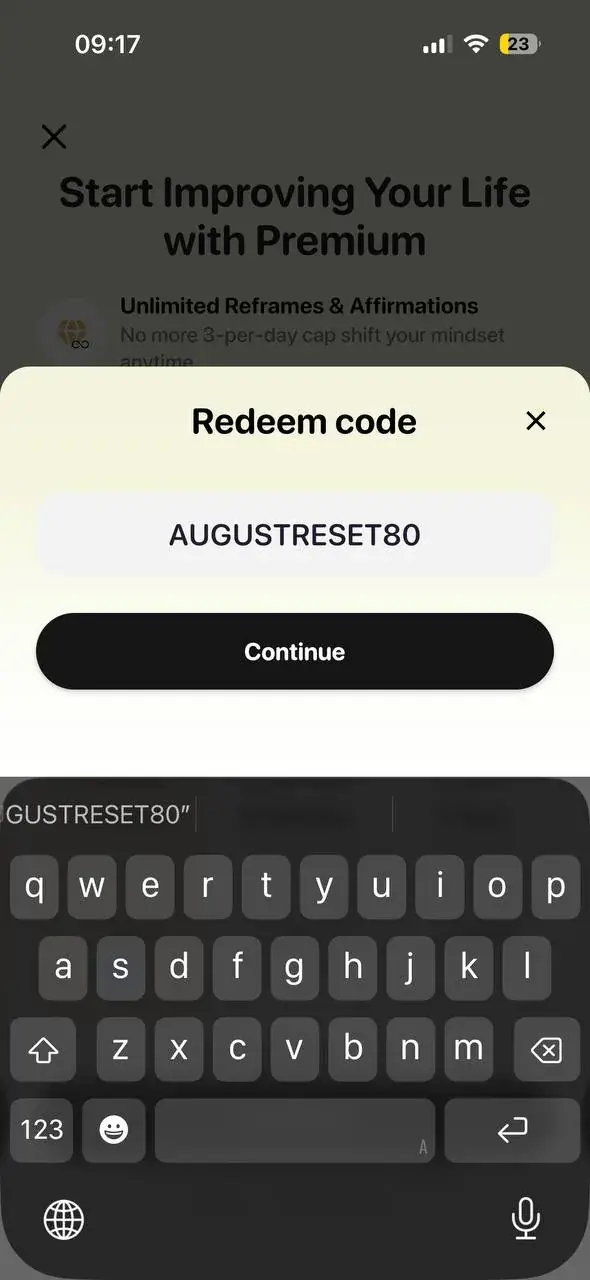
4. Confirm the offer on the App Store sheet
MindLift hands off to Apple: an official App Store Redeem Special Offer sheet appears showing exactly what you'll pay — the discounted first month and the standard renewal price after it, in your local currency. This is the honest-numbers moment: nothing is charged until you tap Redeem Offer and confirm with Face ID. Premium unlocks immediately after.
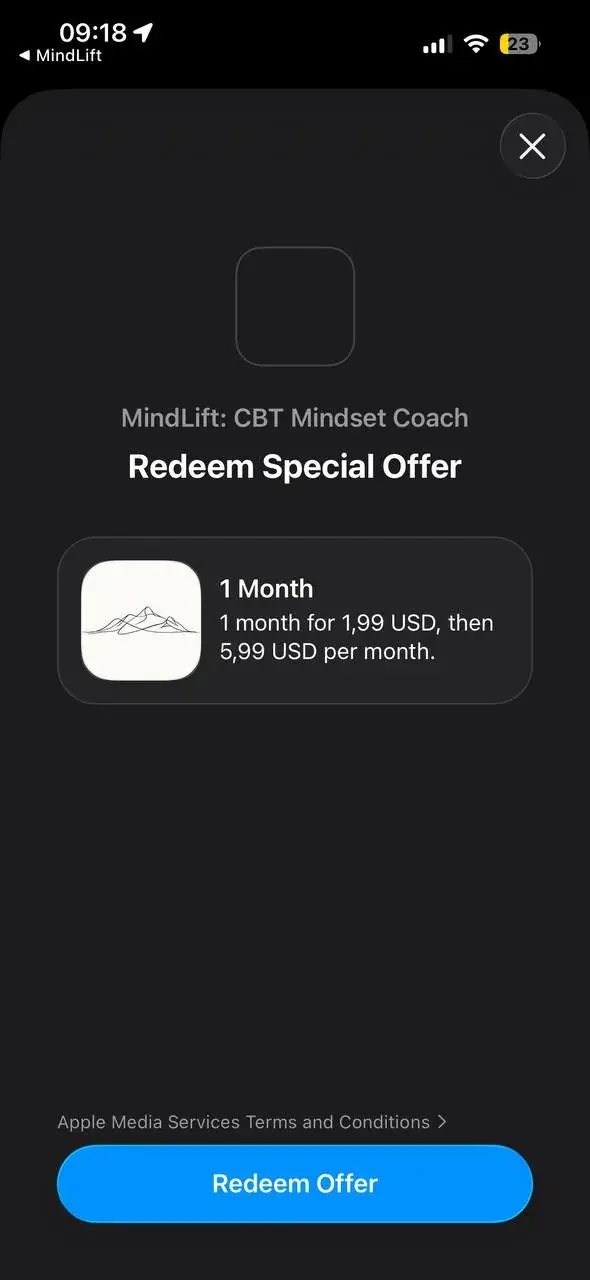
The shortcut: skip the typing entirely
On iPhone you can jump straight to step 4: this direct App Store redeem link opens the offer sheet with NOTOVERTHINKING50 already applied. Useful if you're reading this on the phone MindLift is installed on.
On Android
Same flow, lowercase code: Premium screen → "Have a promo code?" → enter notoverthinking50. Alternatively, redeem through the Play Store itself: tap your profile icon → Payments & subscriptions → Redeem code. Google Play codes are case-sensitive too — the Android code is all lowercase on purpose.
If the code won't apply
- Check the case. NOTOVERTHINKING50 on iOS, notoverthinking50 on Android — they're different codes and each only works on its own platform.
- Check the date. Promotional codes expire; the codes above run through September 30, 2026.
- Check for stowaways. A pasted code often brings a trailing space or smart quotes with it. Retype it by hand.
- Check the account. The offer applies to the App Store / Google Play account you're signed into on the device — and if you're already subscribed, an intro offer may not be available to you.
Still stuck? Reach us through the support page and we'll sort it out. And if you're new here and wondering what Premium actually unlocks — unlimited reframes instead of the 3-per-day free cap — start with what happens when you open MindLift. MindLift stays free to start either way; the code just makes the first Premium month cheaper.
Frequently asked questions
I can't find where to enter the code in the app. Where is it?
The "Have a promo code?" link lives on the Premium screen, directly under the three subscription plans and above the Continue button. Any route to the Premium screen works — the upgrade banner, a locked feature, or your profile. Tap the link and a "Redeem code" sheet slides up with a single code field.
My code isn't working. What am I doing wrong?
The two usual culprits are case and platform. Codes are case-sensitive: the iOS code is uppercase (NOTOVERTHINKING50) and the Android code is lowercase (notoverthinking50), and each only works on its own platform. Also check the code hasn't expired — promotional codes have an end date, and autocorrect loves to add a stray space at the end of the field. If it still fails, make sure you're signed into the App Store or Google Play account you actually use.
Will I be charged automatically after the discounted month?
Yes — like all App Store subscriptions it auto-renews at the standard monthly price after the discounted period, and the confirmation sheet shows you both numbers before you commit. You can cancel anytime in your device's subscription settings (iOS: Settings → your name → Subscriptions) and keep Premium until the period ends. Nothing is charged until you tap Redeem Offer and confirm.
Does this work on Android too?
Yes, with the lowercase code. In the MindLift app the flow is the same — Premium screen → "Have a promo code?" → enter notoverthinking50. You can also redeem directly in the Play Store: profile icon → Payments & subscriptions → Redeem code.
Like what you're reading?
Continue your wellness journey
Reframe negative thoughts in 60 seconds — free to start in the MindLift app.


Free to start · no account required
Mental Wellness Writers
The MindLift Wellness Team writes evidence-based content on CBT, self-talk, and everyday mental health tools.
Was this article helpful?